Notebook Experiencing Heat? Here are the causes and solutions.

The first two factors are hardware, the second is software. If the hardware is the problem, the problem is with the processor
hard disk and ram but if it's software, yes of course there are many factors and that will be
We will now discuss some tips that we can overcome from the software side, just fine for dealing with notebooks
How to Lower the Temperature of a Hot Laptop
When your laptop starts to heat up, it's a sign that there is a problem with the laptop. Try doing the following to help bring down the temperature: 1. Let the Laptop Rest

The simplest way you can do is to turn off the laptop. Turn off the laptop and leave it for a few hours until the laptop's temperature drops, and if touched, the laptop is really cold or no longer hot. But if it's not possible to turn off the laptop, you can do the second to fourth steps.
When you frequently run programs that require a lot of processing, the relevant components have to work harder. That is one of the reasons your laptop gets hot. This can happen if you run several applications at the same time. If this happens, take the following steps: Close all applications and browsers that you do not use Disconnect all connected USB devices Lower the screen resolution
3. Check Power Settings
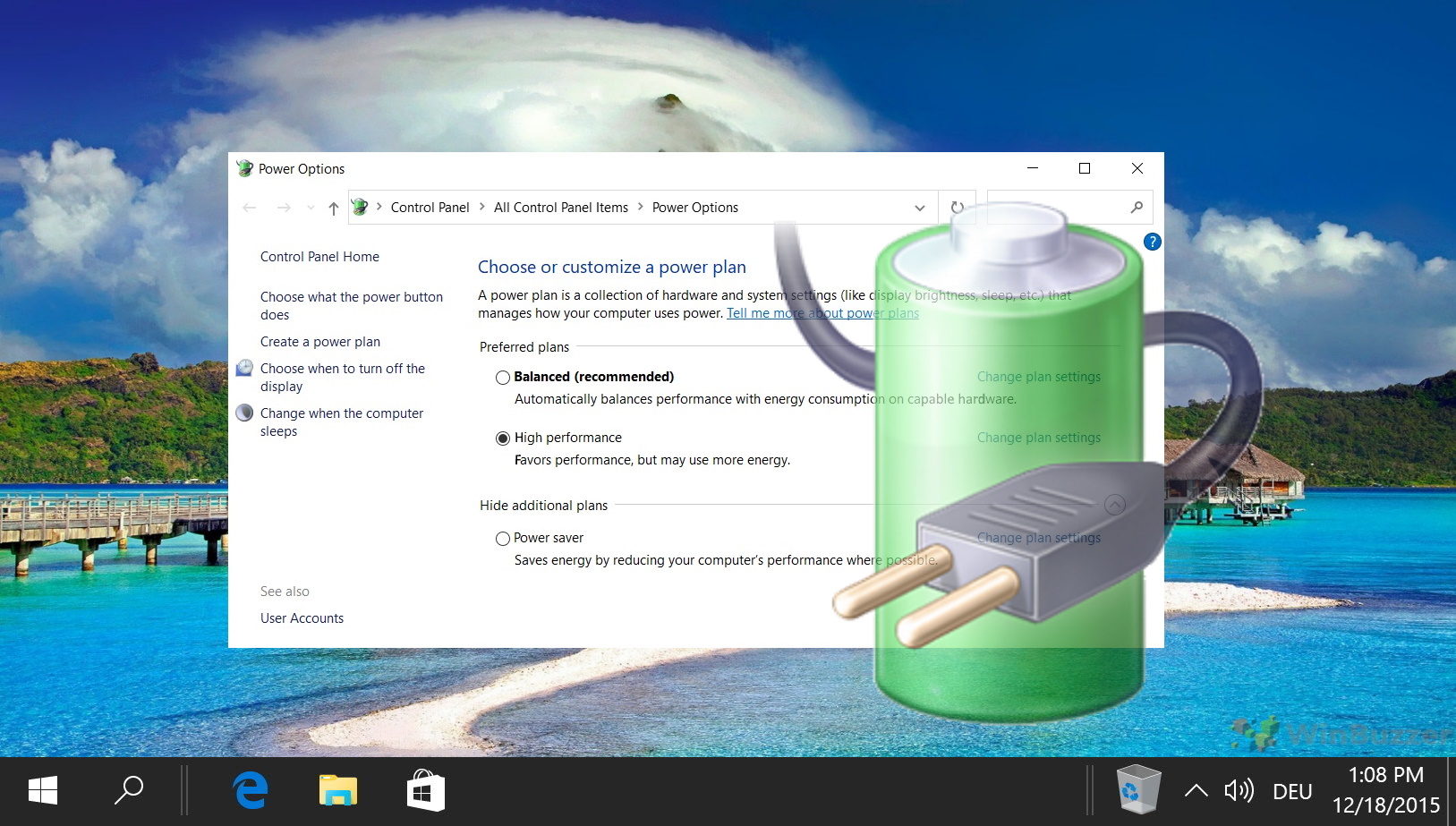
Check the power settings configuration on your laptop. Configure the power so that the power used is according to the needs of your laptop. So that your laptop does not need to use the maximum processor speed. To configure it in Windows 10.
4. Clean Your Notebook Vents

When dust or dirt clogs your laptop's air vents, this can be one of the causes of your laptop getting hot. This is because clogged dust or dirt blocks internal airflow and traps heat. Laptop vents are usually located on the sides, back and under the laptop. After you find the laptop vents, try to check if there is dust or dirt. If so, immediately turn off the laptop and clean the vents using a brush.
For ventilation problems, you have to check it diligently. Because dust or dirt that clogs the vents is a common cause of the laptop getting hot. Then for maintenance you can use a computer vacuum cleaner or a brush to clean it. And also don't forget to make sure your laptop is placed in the right place. It is not recommended to place the laptop on a soft surface such as a blanket.
Komentar
Posting Komentar